Online-somadhan

Online-somadhan
Trips and Tricks Solution

Thursday, February 22, 2018

E-COMMERCE SUCCESSFUL MARKETING STRATEGIES-12 KILLER TIPS 2018


eCommerce Successful Marketing Strategies - 12 Killer Tips-2108


In this post I’m going to unpack 12 killer eCommerce successful marketing strategy-2018 tips. This is one that you can't miss if you have any commerce store check it out. I help small businesses grow with our marketing and design talent technology. Make sure to follow it to learn tips tricks and strategies to grow your business and fuel your brand. eCommerce marketing can be super complicated. There's just so many different things. That you can do and so in this post. I'm going to break down 12 tips that we recommend you. Really focus on first. If you dial these in you're going to be successful online. So just jump right in-

Tip #1 - Use a amazing cart. Shopify, WooCommerce, BigCommerce 

Is use a good shopping cart there's three shopping carts. That we work with clients all the time. That we really love and so check these out if you're not already on these cars Shopify WooCommerce and BigCommerce. These three carts are really good from a perspective of SEO design and also paid search so running paid ad even on social. It has everything you need to scale your Business. It also has a support team to back you up. When you need the help so check out one of those cards. If you don't already have.

Tip #2 – Proper Optimize your product pages each with regards to SEO and style, product title, description, images, trust badges, reviews, video :


Tip number two spend a tremendous amount of time optimizing your product pages with regards to SEO and design. So what I mean by that is SEO would be a good product title ok don't just call it something that only. You would know call it something within the title that people are actually searching online. So do some keyword research figure out what people are searching for your products and make that part of your product title also include that in the description of the product? Write a good description remember this is your 24/7 sales person. Your product page never calls them sick it works through the weekends and all the days every time. Somebody visits your product page you want they want your perfect sales pitch. So put some time into that also product photography is hugely important make sure that photography is really. Really clean smooth and a nice design and professional and also. If you can do a product video this is massively valuable make sure you invest in doing some product videos to explain your products and more details. Final tips here make sure you have trust badges on the Paige. Make sure it says things like you have fast shipping free. Shipping all that if you have that and also get reviews of your products. You want to have reviews on your product pages studies show if you have reviews on your product pages that can increase your conversion rate significantly. If the 400% of by having product reviews so make sure that you get product reviews on your page.

Tip #3 - Schema markup for google wealthy cards (schema markup testing tool) 


Tip number three is a little more advanced with regards to SEO. But it's making sure you have schema markup on your product pages. What this means is when somebody searches on Google right there in the Google search page before they even go to your website. They're going to see what Google calls product rich cards which is going to show your product image and some information right there. On the search page this is going to give you an advantage over your competitors. Make you a little more visible organically to people as they're searching on things like Google. So here's a quick tip if you go if you just google search schema markup testing tool. It'll take you to a testing tool you can just put your product page URL in there and it'll tell you if you have the proper schema markup or not if not there's some mornings with some tips there on how to make sure you add that but if you use one of those cards BigCommerce Shopify or WooCommerce they typically have good schema markup out the gate.

Tip #4 - Optimize your product feed via Google merchandiser center 


So you can just kind of build upon that tip number four is to optimize your product feed via Google Merchant Center. Google Merchant Center is what you're going to use to run Google Shopping ads. Which we'll get to later but the product feed is hugely important. You're going to want to make sure you have good information in there with regards to your product title the description the keywords those sorts of things. So that you're showing up when people are searching on Google shopping. When you're running your ads you don't want to be not in the game when somebody's looking for your product because your product speed is not very well optimized.

Tip #5 - Run Google searching ads Tip:
 

Tip number five is running Google Shopping ads Google. Shopping is very popular people go to Google. They'll search something like pink shoes they'll click the shopping tab those are all add. So if you want to be in that shopping tab. Which we highly recommend if you're going to want to make sure that you are running Google Shopping ads so invest in running product ad and then here's a tip optimize. Your product ads based on results so if you have ecommerce tracking setup. You can see the revenue generated from each product. You can really see your ROI per product on your product at what you want to do is that time goes by turn off the ads. That aren't doing as well the products that aren't doing as well and increase the budget on the products that are doing well this is going to really increase your return on investment over time.

Tip #6 - Run dynamic re targeting campaigns across Google show and YouTube. Moreover as re targeting ads across Facebook and Instagram Tip 


Is run dynamic re targeting campaigns off of your Google Shopping ads and your website visitors so that people that go to your website and they browse maybe to three products as they're surfing the internet after that on the Google Display Network which is thousands of websites online. They're going to see banner ads for your brand actually showing the specific products that they looked at so it's very relevant this stays top of mind and it kind of just wears them down until they are ready to buy those products. They click it and they purchase on your website also you can run re targeting on Facebook and Instagram as well. If somebody comes to your site they look around and they don't do anything that night when they're on Facebook kind of looking through their feed all the sudden. They'll see an ad for your brand this is bringing you back to the top of their minds like hey. I didn't have time earlier to put my credit card in there because I was getting interrupted but hey I do right now on this commercial that's on TV. I'm going to buy right now so by doing re targeting in a dynamic way they're going to bring a lot more sales back to your business.

Tip #7 - Run Facebook and Instagram ads and re targeting on those channels moreover. Target a awfully tight demographic of individuals that suit your whole.


Tip number seven is to make sure that you're running Facebook and Instagram and these are huge channels. Today people are on Facebook all the time so you're going to want to target people on Facebook and the targeting is so intense that you can get right in front of the person that would be perfect for your product so one example like that is it say that you sell gymnastics equipment to kids maybe two girls in particular you could actually target mothers. That make over fifty thousand dollars a year that have daughters that are in gymnastics how targeted is that if these mothers see these ads they can afford it right they're making enough money to afford it they have daughters in gymnastics it just only makes sense they're going to like your product. They're going to understand your brand and they're going to eventually buy from you so make sure you take advantage of Facebook and Instagram add those two channels are big breadwinners for e-commerce stores today.

Tip #8 - Invest in social media management, build an organic following. 


Tip number eight invest in your social media organically whether you need to do this yourself or hire somebody or hire another company you need to make sure you have an organic present social media what that means is you're posting content. You're engaging on social media so not paid ads but just being involved being a part of social media today by doing this this is going to be building your brand following organically. So eventually you have 10,000 followers 100,000 followers the more followers you have as you're posting content building this awareness you're only going to get more sales.

Tip #9 - alter email selling (holiday, birthdays) and send finish of month promotions. 


 Tip number nine is to automate your email marketing email marketing is hugely important a lot of e-commerce stores fall short because they spend a lot of money to get that customer to make that first purchase but they don't re market to those people via email marketing and other channels to get them to come back and make future purchases if you could just get each of your customers to make one more purchase than they normally do think about what that does to your revenue so what email marketing it allows this in an automated way to make that happen so here's an example you could set up an automated campaign for holiday you just set this up at the beginning of the year for the whole year with promotions on all these different holidays that automatically get sent to all of your past customers so that's one example there's tons of other examples like spending on automated emails to capture reviews for your products is another way to build product review content in an automated way. If you're creative with your email marketing and you automate it this is going to scale your business so that you can increase your sales overall and increase your return on investment on your marketing dollars.

Tip #10 - SMS important person deals 


Tip number 10 is invest in SMS marketing SMS marketing is text message marketing reason why that's important is because only about 20% of people will typically open up your email sometimes even less and they also won't open it up in real-time there's a lag there right but with text messages it's almost 100 percent of people open the text message and most of them are within a five minute window so that can be really powerful on slow sales days on the end of the month times when you need to clear out old inventory stuff like that so build a VIP text message marketing campaign and one way to do this is put a banner on your site that says hey for Vi VIP deals text something like hot deals to 399 702 opt in and get an immediate 20% coupon right now by doing that it gets people to opt-in to get that coupon but now they're in that list for future VIP deals that you can tap into.

Tip #11 - Use a CRM and rent a sales and support person. Follow  decision customers. fire reviews, sales packages, study their wants, fire referrals, raise to share on social. Kill client service 


 Tip number 11 is to use a CRM so many e-commerce stores don't really have a CRM. They're actually using the backend of their car to look at customer data and kind of using that at the CRM that's not effective. You want to integrate your cart with an actual CRM so that you can populate all of your customer data and even add additional data in there as you get to know your customer and so if you hire a sales person or if you're the sales person working through the CRM and actually making proactive calls to your customers. Can be life-changing for your business. If you just reach out to hey how was it did you get your package in time is everything going for you what else are you interested in can I keep an eye out for other deals that come up and let you know if you have any kids when are their birthdays what are they interested in if you get to know the customer. You can save this information in your CRM your salesperson can just continually follow up these people and I'm telling you you'll see four or five times more sales per customer than you would otherwise so it's a huge investment but a great return to look at a salesperson in a CRM and connecting those into your process within your e-commerce business.

Tip #12 - produce a client care package. Nice stigmatization. Use to induce amazon consumers to shop for from your website next time. embody coupon.


Last tip 12 is to create a customer care package that you send with all of your product purchases to the customer so don't just send them a bag with a logo on it send them a nice package it has a handwritten note it has a coupon in it for a future purchase that maybe has a referral card in there they can give to a friend there's going to be a nice experience for the customer and it's really going to give them a good sense of feeling towards your brand and probably get them to come back and purchase it with you again but one really hot tip here is if you're selling on other channels such as Amazon or something like that when you send those products with the care package the coupon and whatnot should recommend they come back to your branded website to make future purchases this is going to increase your profitability right and get your brand going on your own website. Which is what you want to do so take advantage of these care packages design something real nice when they receive your product you stand out in the crowd from other businesses you may be competing again so eCommerce is super intense.

Tips coated during this post: 
Tip #1 - Use a 
amazing cart. Shopify, WooCommerce, BigCommerce 
Tip #2 – Proper Optimize your product pages 
each with regards to SEO and style, product title, description, images, trust badges, reviews, video 
Tip #3 - Schema markup for google 
wealthy cards (schema markup testing tool) 
Tip #4 - Optimize your product feed via Google 
merchandiser center 
Tip #5 - Run Google 
searching ads Tip
#6 - Run dynamic re targeting campaigns across Google show and YouTube. Moreover as re targeting ads across FB and Instagram Tip 
#7 - Run FB and Instagram ads and re targeting on those channels moreover. Target a awfully tight demographic of individuals that suit your whole. 
Tip #8 - Invest in social media management, build 
AN organic following. 
Tip #9 - 
alter email selling (holiday, birthdays) and send finish of month promotions. 
Tip #10 - SMS 
important person deals 
Tip #11 - Use a CRM and 
rent a sales and support person. Follow up decision customers. fire reviews, sales packages, study their wants, fire referrals, raise to share on social. Kill client service 
Tip #12 - 
produce a client care package. Nice stigmatisation. Use to induce amazon consumers to shop for from your website next time. embody coupon.


we could go for days with different tips but these twelve tips I feel like are really the ones that are the most important so focus on these tips if you have questions give us a call or leave a comment if you liked the video like it if you want to share the video please do and also follow us for more tips tricks and strategies just like this moving forward


Wednesday, February 21, 2018

11 WEBSITES TO MAKE $100-$200 PER DAY IN 2018


11 WEBSITES TO MAKE $100-$200 PER DAY IN 2018

In this post you will learn what are the 11 websites to make $100-$200 per day in 2018. You can make money online without selling an actual product. To give you step step quick guide the bellow websites: Upwork, Clickbank, Flippa, Shutterstock, Amazon Kindle Publishing, TextBroker, Fiverr, Amazon Handmade, Facebook, Pinterest, Youtube. To dig deeper to details, Please read the full post

I'm going to show be going over 11 websites on how you can make $100-$200 per day. Alright this is going to show be filled with some really good information I can guarantee that there's going to show be one website on here that you probably didn't know about just. Because there's a wide variety of different websites on how you can make $100 per day so I know this is going to show be great for you okay.
 So if this is your first time here on my website and you want to learn more about passive income working from home and creating a life of freedom that's what my channel is all about and I put out posts on a consistent basis that will help you do just that so if you're interested in getting more posts on that go down and subscribe hit the bell notification so you can get notified of future posts all right now also. Before I go into these 9 different websites and like I said I'm going to show step you through every single one of these to help you also .I want to let you know that I'm going to show leave a link down below in the description and this is just my number one recommendation on how to make a full time income from home so if that's what you're looking for I recommend going down clicking on that link and then I'm also going to give you a free ebook as well all right so with that being said let's get into get into this post right now if you're excited hit that thumbs up it helps the post.
I appreciate that alright so number one is upwork.com if you're not sure what upwork.com is let me jump over here this is a website for freelancers okay and just so you know I've personally used this website not to make money but to actually hire someone in my own business so one thing that you have to understand as technology has advanced in where businesses are going because more and more businesses understand the power of using the internet alright and honest. If you're in business and you're not using the power and leverage of the Internet to grow your business.

#Upwork


You're doing something wrong now where this creates so much opportunity for people is sites like this upwork.com. Where if you want to make money you can simply come here you can sign up as a freelancer and whatever skills that you have you can leverage that and people will come to this website to hire people that's exactly. What I did in my own business and that's what you know so many other business owners are doing right now because they need help growing their business they need help outsourcing tasks for their business and maybe they lack in those areas so what do they do they say well. I need to hire someone so they go to a site like this called up work. This is exactly what I did and I find someone who can then do these tasks in my business so that way I can focus on other things. For example let's just take a look at some of these categories okay web development so if you have skills with web development you can come on here and people will hire you to accomplish those tasks maybe build building out a website or they already have a website and they want someone who has those skills to help them with that all right design mobile development writing admin support marketing and then also just a general virtual assistant okay so if you have skills you know how to use a computer and you believe that you can make money helping people you can simply come on here and they will hire you to help them with their tasks all right excuse me. I believe that up work is amazing and then you know also being on the other side of it where I have hired someone I love the platform on how its accountable and how the money gets put into you know how it's all set up it's all done for you the money the processing the payouts it's all there so this is a great way to jump on here and start making money with upwork.

#Clickbank:


Clickbank.com now this is for affiliate marketing okay and if you want to go deeper into this and learn how to make a full time income with affiliate marketing click that link down below later on after this post and you know you'll learn everything you need to know about affiliate marketing but let's jump over to Clickbank. Take a look at this all right this is an amazing site okay and how does this work so the way that this works is you come on here and take a look at all these different categories I'll zoom in here they have all these different categories of different products on here and so you can come on here you can select one of these categories and select a product within a niche now just so you know here's the three niches. I recommend one is health wealth and then the other one what is it health wealth and I forget the other one okay. Oh it's relationships health wealth and relationships those are the three niches. That you can I would say are the most profitable online okay so let's just go in here to health and fitness for example. We're going to show come into health and fitness I'm going to show sort this by most popular and all of these products that you see here you can jump into these it and it's really cool and you get first of all it's free to sign up to the site and then you promote these products as an affiliate all right this is called affiliate marketing right and every time someone purchases a program through your link you make a commission okay and if you do this right and you are consistent with you. Your promotions you can make a lot of money doing this alright there are people making six figures in a single month with affiliate marketing okay so it's very powerful Clickbank is an amazing platform for you to start making money.


#Flippa


 Alright let's jump into number three it's called Flippa.com now I'm going to show go in a little bit deeper maybe then you've heard about this this is called flipping websites so this is really cool. I want to show you some some really cool tricks about this specific website called flip comm alright so let me just give you an overview of what this what this is all about so there are websites out there right now okay that are established and that are for sale now why would you buy an existing website I'm going to show share that with you right now.  One thing about Flippa is really cool that most people think of flipping websites or coming to a well you know a domain buying a domain and then reselling it okay here's what's cool is with Flippa. You can purchase a website that's already making money on a monthly basis so let's see. if I can find one down here as an example okay this one here piano keyboard reviews four days ago it's selling for two thousand dollars okay now obviously there's there's websites with you know the price range varies. You don't have to buy a $2,000 website well here's one for 27 bucks 6 bucks it just depends okay now if they're making money if they're making a lot of money obviously you're going to show pay more but let's just say you wanted to invest two thousand dollars into this website so let's click on this all right so it's piano - keyboard dot reviews or yes slash reviews calm okay now here's what's awesome and that I love about this website okay you can come down here you can see that the site is 11 years old so it's been around a while and then you can come right here BAM and I'm going to show zoom in on this so you can see cuz this is really cool net profit per month so in net profit this website is making 723 dollars per month so if you were to invest into this two thousand dollars right!  You can do the math and find out okay well how long is it going to take for me to recuperate my investment and then actually start making profit with this website okay and that's what I really love about Flippa. If you want to come on here and buy websites that are already making money that's great.


#Amazone


I would venture to say that this website is making all of its money it is I can already see it right there through Amazon. Through Amazon.com affiliate link so we already talked about affiliate marketing. Amazon has an affiliate program and so they do reviews of these piano keyboards boom people click on there to buy it off of Amazon. When that happens this website makes money so immediately you know that you're going to show be making money with this website and it's only going to show take a few months for you to be in profit alright really cool website flippa.com alright let's go to the next one Shutterstock alright I'm going to show jump over here to shutterstock.com and now this is a website where people go to buy images post clips and music tracks. So across all of Internet land right people are not allowed to just steal images they're not allowed to just steal post clips or music tracks they have to be royalty-free okay and not only do they have to be royalty-free like you can see here sorry I'm pointing at it you can't see where my fingers but right here royalty-free images so royalty-free what does that mean well there's different level of licensing. Licensing different material online or I guess I should say media but royalty-free means that you are given the rights to use this media whether it be images post or sound or music so people all across the internet in businesses entrepreneurs come to this website and they purchase images music and post clips. So how do you make money that with this well if you want to put your media on here and sell it every time someone sells or every time someone purchases off this website from one of the media clips or post clips music tracks that you upload you are getting royalties from it boom boom boom now what's cool about this is this can be a great source of passive income. So you upload your content on here one time and then as people purchase it they could purchase it tomorrow they could purchase it in six months a year two years it doesn't matter as long as people are buying it down the road you're getting royalties and that's something that's really cool about shutterstock.com okay and then of course you can scroll down and visit the website you can see all the things that go into this but it's a really cool way to make some money.


#Shutterstock


Shutterstock.com let get to the next one number five is Amazon Kindle publishing alright so let's take a look at this Amazon Kindle publishing this is absolutely free to sign up and so what most people don't understand is that there are so many ways that you can make money online there's so many ways and this is just another way where I personally know people on here making a really good passive income from this now let's just jump over and show you so what you need to know is that it's called KDP so Amazon Kindle or Kindle publishing direct or direct publishing sorry and you write your ebooks or you can even outsource it go to Fiverr and have someone write it or go to up work and have someone write it and then you post your book onto Amazon through KDP. Then you'll show up here okay on Amazon Kindle where people come here and they buy books now one thing that I want you to know is that writing an e-book is a great way to make some passive income now are you going to show become a millionaire doing this you're going to show make a ton of money I would print I would say probably not but another cool thing about this well first of all passive income is great right so the same thing. You publish a great book on here and it sells over and over and over you're going to show get royalties from your book over and over again so that's a great source of passive income but the other cool thing about this is if you have another business that you're trying to promote right or another product or something that you're trying to sell writing an e-book and putting it on Amazon Kindle publishing is such a great way to drive leads for your business whatever your business is in eBook on Amazon Kindle is an amazing way to drive leads and make sales through Amazon and you can get that on there on here for absolutely free my mom's calling I'll call her back so you can get your book on here for free. Drive leads and sales so that's just another bonus of doing this.

#Fiver

So let's get in the next one fiver.com so I had mentioned this a second ago but Fiverr is a great way to make money and this is kind of like freelancing again but here's the thing about Fiverr is there are so many different little things that you can do so figure out. What your skills are what are you good at that you can start making money with so check this out they have writing in under writing resumes and cover letters. Can you write resumes and cover letters for people if you can you can start making money on here proofreading editing creative writing business copywriting legal writing sometimes people need legal documents okay that's just one area okay it's writing and translation digital marketing is another graphics and design is another post animation music and audio. So you can see that people come to this website and they pay other people which could be you for doing something for them okay it's pretty simple it's a great website now. I personally have used this website to purchase to purchase you know from other people little jobs okay to have them do things for me and my business and I've done it and it's great and what's even better is the person on the other end who I was paying made money for doing these little projects. It's great all right there you go fiver number seven text broker now. I love this one because I think this is a great way for people who want to start writing to make money so let me jump over to text broker and show you guys this all right text broker calm that's this website.  I'm going to show briefly cover this but I just want to show you. I write content let's go over here because that's what you would be doing to make money and so here's how this works is you're going to show come on here and everything just so you know is on a star rating so how much money do you make that all depends on how much you write how fat are not how fast you write the projects that you write and then your star rating so the better you become at writing the more money that you can make. Ro let me just jump over here okay oh and disclaimer about this website I did find out from one of my you subscribers that this is only available in the United States from what I've been told this is only available in the United States okay but this company works with some pretty other big companies.


#Text-Broker

Yoast is for WordPress blogs it's a plugin staples eBay so you can see some pretty big companies but let's take a look at this so let's just say that you're not that great of a writer okay yoga you're going to show make seven cents per word now if you're a great writer you're going to show make five cents per word so let's just take a look at their word counter and say that you are a good writer okay and remember this is all based on this star rating. You're going to show get a star rating based on your writing okay but you know if you strive to improve you make more money let's check this out let's just say you write an article okay twenty-five hundred words all right that's really not that long. and there's also you can do speech to text through Google Docs I did another post on this but just so You know you can go into Google Docs and do speech to text where you just speak the words and you start writing it's really cool so if you wrote let's just say two of these okay now you're making two hundred and fifty dollars a day. Alright that and I think that's doable to write two articles in one day and you're making 200 bucks a day with textbroker.com. so if you guys want more information on this go check out text broker com.

# Amazon hand-made

 Number eight Amazon hand-made now I think even still to this day a lot of people out there do not know about Amazon handmade. So more than likely you've probably heard of a website called Etsy. right Etsy and you can go on there you can open a store and you can start selling like handmade stuff well little do most people know Amazon has something just like that and I'd venture to say over time it's probably going to show blow up and become really big. So let's take a look at Amazon handmade all right this is Amazon handmade. You can just simply do a little search for it to find this but check this out so these are people who create these you know little stores on Amazon in their little niches in and they sell products so check this out look at all these different products jewelry home and kitchen wedding handbags beauty and grooming stationery and party toys games baby pets clothing shoes okay now and then of course all the pricing is here somehow. You can partner with Amazon and do Prime that sounds cool some people want it now you know we live in a microwave society so everybody wants everything.

If you have Amazon Prime you know that might push someone over the edge to become a buyer from you. So check this out you guys why would you choose Amazon handmade versus maybe Etsy so I want to explain something to you real real briefly and I know this post is getting kind of long. But I know I also know it's very helpful to a lot of people so I'm going to show keep going with this the reason that you would want to choose Amazon handmade in my aid this is just my humble opinion is that when you understand. Amazon you have to understand something about Amazon. And that is Amazon is filled with buyers okay buyer customers who have their credit card on file or debit card they have a card on file they are buyers and so when they come to Amazon. They're ready to buy they are already buyers so the cool thing about this is you are tapping into Amazon's buyer base they already exist they already have a card on file in their here because they're ready to buy they're looking for something so if they come to Amazon handmade they find your products you are more likely to make a sale all right that's just my opinion.


#Facebook

One of the most popular platform for 11 WEBSITES TO MAKE $100-$200 PER DAY IN 2018.
You can social marketing and sell product any things. So check this out you guys why would you choose Amazon handmade versus maybe Etsy so I want to explain something to you real real briefly and I know this post is getting kind of long. But I know I also know it's very helpful to a lot of people so I'm going to show keep going with this the reason that you would want to choose Amazon handmade in my aid this is just my humble opinion is that when you understand


# Pinterest

So let's get into number 10 which is Pinterest so we're going into kind of social media one thing that you need to understand about Pinterest is it's not you know a lot of people think of Pinterest as social media but the better thing or the thing that you need to keep in mind about social media or Pinterest is that it's a search engine. It's a search engine and there are people making a ton of money through Pinterest so for example just did a little search called gardening tips okay so you have all these pins here that are having to do with gardening tips now more than likely most of these if you click on them. They'll go back to a website where they give good information valuable information. But what's better is that they have something there that they're selling okay and that's how people are making money now what if you don't have a product how can you monetize on this. We'll remember we talked about a website called Clickbank. So you can pick a niche from Clickbank pick a product start using Pinterest in creating pins leading back to your website. Where you're promoting a product as an affiliate all right so Pinterest is an amazing way to make money.


# Youtube

You guys alright let's talk about the last one I have for you guys and that is YouTube and I saved this for last because I believe in YouTube you guys I've made tens of thousands of dollars through my Youtube channel even when I was super small and you know in comparison to big channels. I'm still really small you know if you take a look at the time of filming this post right now you can see here I have 15,000 subscribers fifteen thousand six hundred and just last month through driving traffic to products and services from YouTube alone I made a full time income last month. The crazy thing about YouTube also that you need to understand is that it is a search engine okay people come here looking for solutions to their problems they come here looking for reviews and they come here looking for information. Now if you have information that you can help people with and you have a product or service tied to it you can make a lot of money I'm not talking about making money through the ABS. Alright I've made a couple thousand dollars through ads on YouTube that's not what I'm talking about that's just bonus money.


Alright that's just play money can't you no can pay for your gas in your car or whatever what I'm talking about is growing a business through YouTube okay now again I recommend going down click the link below this this post right now to learn how to build a full time income online all right that's my recommended number one recommended way to make money online that's how I made a full time income last month online but you have to understand where are you getting your traffic from and how are you building Authority online well YouTube is an amazing way to do it you guys.


So I hope that you guys got value out of this post if you did hit that thumbs up. You know go click that like button real quick hit the like button and I really appreciate that it really does help the post out and if you want me to create a post on something else that you want to learn about or you have something to comment on about this post drop me a comment down below. I will engage with you guys down there alright so I hope you got something out of this again if this is your first time on freedom influencer in 11 WEBSITES TO MAKE $100-$200 PER DAY IN 2018.

Thursday, February 15, 2018

WORDPRESS GUIDE FOR BEGINNERS


WORDPRESS GUIDE FOR BEGINNERS


Hello everyone what's going on? Today I'm going to be teaching you how to put together a simple little website that looks just like this. I'm going to take you through step by step. I'm going to show you how you can get the site. A site just like this up in about 15 to 20 minutes with no steps skip. I'm going to show you. I'm going to walk you through everything installing on your hosting buying your hosting installing your hosting installing WordPress. Then also putting up your posts your featured images all that's going to be included like. I said step-by-step and before we get started though I just want to go over a few things. Then we'll jump right into building the Web site hosting is where your website is going to live online. It's where all your content is stored all your videos your pictures anything.

Basically that's on your website is stored there and then all that information is stored on the server here's another way I like to explain this people think. if you're going to build the house you would need the land to put the house on when you're building a website you're going to need somewhere to put the website on so basically the land is the website hosting in your website is the house website hosting normally costs about sixty to a hundred dollars a year sometimes more.
But today I'm going to show you how to get website hosting for just $12 a year plus a free domain name a website domain is the link to your website so for example.

Here's some other website domains google.com youtube.com Amazon com godaddy.com. You get the idea. So now that I've finished explaining what a website domain is and what website hosting is. We're now going to move on to building the actual site. So the first thing we're going to need to do is. We're going to install website hosting so to do that we're going to head over here to my site which is create WP site and we're going to go over here to special deals and this is where we're going to get the coupon for the website hosting this is going to be the discount. So you guys only had to pay one dollar a month and this is only going to be 12 bucks for an entire year. So what we're going to do is click view this offer and then when you land on this page just click the economy for one dollar a month this is going to automatically apply the coupon code by itself now with this what's going to happen next is this post is going to cut to a previous. That I recorded it's going to show you how to install web site hosting and how to install WordPress and then after that we're going to start building the actual site.
Now pick your domain name just whatever domain name you want something that's going to be relevant to whatever your website is going to be about. I'm just going to do this one real quick okay finances solutions is available click ahead and continue. Okay and then after you did that you land in this page right here. This is just going to show you your total and since you click that link it automatically applied this promotional code and just to show you it will remove at 12:18. If you don't have that it's back up to 60 bucks. So put that code I'm going to put that code back in for sure and then I'm going to go here and I'm just going to go to proceed to checkout okay and um my signup is a new customer. I just entered all my information in it's going to be blurred out for obvious reasons but um when you get to your account information right here email address username password make sure you write all that stuff down or I just make a note of it somewhere even though I'm pretty sure they're going to give it to you anyways and the next thing you need to do is go down to payment information. Pay however you want I'm going to choose PayPal okay and then after you pay you're going to land on your confirmation page and I'm going to do is everything looks right 12:18 should be your total click. I agree and then place your order and um that's it you now have website hosting okay now before we go and install WordPress.
First I want you to go up here and go to manage my domains and we're going to verify our email we're going to do that before we can do anything so just come right here click verify email now check your email and there should be some type of message there okay so I'm going to go check my email now okay and if you can see right here it says action required verify your email okay now that's it your account is verified now we're going to click here go to my account and we're going to set up WordPress and you can just you can do this. If you want to or you can just skip and I'm just going to click no thanks okay so when we get on this page we're going to go here we're going to go to web host and click manage and right where it says new cPanel click setup now you can select from your domain it's already selected. I go here and I'm going to create a username and a password okay now after you do that make sure you make some kind of note of that and then click finish then we're going to click get started Now you should be in your cPanel and to install WordPress we're just going to scroll down here to web applications and click WordPress okay and then come right here and hit install this application. Now when it gets to this part we're just going to leave it blank so anytime anybody goes to this length the land on your page scroll down here the stuff should be all figured out for you right here. And I click install okay and then you land on this page after you're done and if you ever need to edit your password or you know any of those type of things you can go here view edit details it'll give you all your stuff right here you can add it all that I'm going to go here and I'm going to click this one that says back slash WordPress ad all right guys we're back and you should now have your website domain you should have your hosting installed and you should have your WordPress installed and you should be looking at your dashboard page on your WordPress blog that looks something like this now as always we're going to take a look and see what the blog looks like and as you can see a blank as usual and we're going to make it look a little less blank so let's get started okay so the first thing we're going to do is we're going to head over to settings and we're going to click general and this is what we're going to change the name of the of the blog the site title and the tagline and I'm going to name my site daily real stay tips oops and then I'm going to put my tagline as this and you guys can put whatever you want for your site title depending on what niche you're in you can just make it accordingly and then click scroll down here and click Save Changes and then we'll just come up here and we'll right-click this and open it just so we can see how it looks right there new title new tagline now we can move on to the next step okay so let's head over to the post section. So we can get some content up and this is the UM this is the default post that always comes with when I WordPress is just installed so you can just you can you can edit it or you can move it to the trash. I'm just going to move it to the trash and then I'm going to click add new up here okay and then right here is where your title is going to go for your post and then just going to come over here I'm going to grab some example text this is just example text just to show you guys how the book how your post will look and then we're going to come down over here actually we're going to go here and add new category for this I'm going to put real estate and you guys can add you know whatever it is if you have a weight loss site then maybe you want to add diet or you know whatever. You think is right for your website and then let's come down here to set a featured image and then I'm going to click this upload files let's go my first post.

You  don't have to have a featured image but it's better to have it that fills your website out a little bit more it just makes it look a lot better and the images um you select for it they can be pretty much any size but try to keep try to keep the try to get bigger ones. Because it'll just automatically get scaled down by WordPress you don't want them too small because it won't look right and then just click set featured image and then there it is right there and we're going to come up here and we're just going to hit publish okay and there we have our first post up. Before we continue on the posts I almost forgot we need to do the most important thing which is install the theme for the site and you just come over here click add new and as you can see there's go-to popular over 2000 themes. You know you can use you guys can use any of these themes right here if you want but for this example we're going to be using a theme called Reba light.

I'm gonna click install then I'm going to click activate and then we're going to take a look at it and see how it looks with the first post that we got in there okay the first post right there. Now I'm going to I'm going to come back after I created about six to seven more posts and then we can continue. I just finished up my last post and I just need to add the feature image actually. Before I add the feature image. I just want to show you guys if you ever want to add an image or a video into your eyes content right down here. You just click this add media and it's the same thing as adding the featured image you just go click here select whatever file you want and it'll be wherever you click it. It will show up right there and say you wanted to Center it you put in you can click that and that aligns it in the center. You can click this button right here the toolbar toggle and it's got some other stuff if you were wondering what any of this stuff is just rest your mouse on it and it's pretty clear right there it shows what exactly it does so I'm just going to scroll back down here. I'm a click set featured image get my last one wait for this to load okay click set featured image I'm going to scroll up click update now we can take a look at what the site looks like with some content on it finally and as you can see it's already looking way better once you get the content on there that's when you start what's that's when your site really starts to come alive. So now we're going to move on to the next step okay guys so the next thing we're going to do is we're going to change this little logo right here. We're going to add our site title instead so to do that you just click I don't know if you guys see me do that one second you go up here and you click customize and then you go here to general options click logo and right there you see it says rebar and you just put in whatever you want for this I'm just going to put it as real estate and after that you can click Save and publish that's it and then you close this lead page take a look at okay so we got that now alright. Now we're going to move on to the next style. So the next thing we're going to do is we're going to go.

Add some pages so I'm going to close this back to my dashboard. We're going to come over here to pages and you guys might see a page right here I actually just deleted a couple minutes ago I wasn't recording though and it's just the it's just like the demo page just like the demo post you can just get rid of it if you want so I'm going to add three pages these are three pages that every site needs to have and that's the contact us page the about Us page in the privacy policy page and what I'm going to do is I'm going to create these pages and then I'm going to have a link right here which I'm going to show you in a few minutes. Where you can go to and each one's going to teach you how to make a Contact Us page how to make an about Us page how to make a privacy policy page all for free so you're going to see that when I come back okay guys so I just finished creating the three pages. I said I was going to make as you can see right here okay got the about us that contact us and the privacy policy page made and now I'm going to add in about five to six other pages and then I'm going to come back. I'm going to explain more about the privacy policy and then we're also going to make a menu for the site. I just finished in adding my last few pages as you can see right here and now the next thing we're going to do is we're going to go down here to appearance and we're going to click menus.

 We're going to create a menu for our website so to do this you're gonna have to first give the menu a name it can be whatever you want I'm just going to name it main menu then you click create menu okay and then when that comes I'm just going to use my pages that I have so I'm going to click all these you guys can do the same or if you just want to add your three main ones right here that's fine too it doesn't really matter and then you click Add to menu and then um well that's loading over here in the menu settings uh you want to click this one header menu and footer menu that way I'll show up at the bottom and the top or you can just do the header menu whatever you want to do and then click Save menu and we're just going to open up this page close this and as you can see there they are right there all that and it should be down here yep there they are right there and now you have the pages.
Alright guys before we move on to the next steps I just wanted to come back to this privacy policy page actually these three pages right here where I said that there's going to be a link which is right here for the privacy policy and just to show you how this works this is just going to send you to a page it's going to show you it's going to create a custom privacy policy page for you if you don't already know how to do that it's all 100% free whoops same with the contact us page go right here ten in the bed it gives you ten examples right here and same thing with the about Us page too so now let's move on to the next step.  

One more thing before we move on to the next steps is I'm going to show you how to get rid of some of this stuff right here it's just kind of it's you know it's not really necessary and it doesn't make the site look that good so to do that we're going to come back over here to our dashboard and we're going to go down here to widgets and now this is all the stuff right here. I'm just going to get rid of this you can keep it if you want but I feel like it looks better without some of the stuff categories. I'm going to remove that but actually. I'll leave that archives. I'm going to get rid of that again some of these will be useful once you start getting tons of content up and you get people commenting and all that these are you can bring these back and just to do that like I just deleted recent comments. You can go right here you just drag it back in there and now and click Save and it'll be back in there but again I'm going to get rid of this just so there's those three right there and we come here you'll see all those are gone so it just helps clean it up a little bit all right now we can move on to the next step all right so now what we're going to do is I'm going to show you how you can add you. Your own links into these social share buttons right here.

 I'm just going to go back to this page and we're going to go up here and click customize and then we're going to go to general options and then go to contact details and this is where you will add in your custom URLs for each one of these social networks whatever ones you have you can just add in if you don't have them you can just leave them blank. And then once you do that and you add them all in you just come up here you click Save and then you close out and I just wanted to show you guys too in case anybody's a little confused by what you need to do here for example if your Twitter account name was real estate tips it would be your URL would look like this so it'd be you just type in www.shopnobari.com backslash real estate tips or whatever your account name is and that's pretty much how most of these will be you'll have a custom link once you have gotten each social site arab map made an account on each social site. And I was going to get ready to move on to the next step but I just realized that we are actually done.


I know it seems pretty quick but as you can see we got the site up and it's full but this is obviously example stuff but like. I say and um most of my post just try to focus on getting some content up and at least get some featured images going just so your site is or full or at least has the appearance of being full so people don't land on it you know maybe before you get ready to release it and see it and go home there's no good content here and then they just leave. So just try to UM when you get your site up get some content up and really that's all you're going to need to do to make it look filled out and have people come and visit your site and do whatever you need them to do so if you guys like this video um give it a share and also give it a thumbs up too and if you have any questions as always leave them in the comment section below. I will get back to you as soon as possible so enjoy your new site

Tuesday, February 13, 2018

5 FREE TOOLS TO BOOST YOUR GOOGLE RANKING- WORDPRESS WEBSITES

5 Free Tools To BOOST Your Google Rankings -WordPress Websites


Hi, this time we will talk about free SEO tools to boost your Google rankings. Search engine optimization as well as free SEO tools can be quite an intimidating subject for new WordPress sites to tackle. Here we've assembled a collection of five free SEO tools for WordPress to help improve your Google rankings including our advice on how they can help you climb the ladder to the very top of the search queries.

Let's get started-


# Pingdom

 Pingdom

Pingdom speed test is a simple tool that enables you to measure exactly how long your site takes to load down to the minute seconds. Just enter the URL of the site you want to test pick one of the available server locations then sit back for a few seconds while it produces a detailed report aside from load speeds.


# Chrome Devtools


Chrome Devtools  Bing-bong will also compare how your site stacks up against their database and archive tests and provide you with a list of performance insights. You can put into action to improve your metrics. Now you might not care too much about how fast your site loads. As long as it's quick enough but search engines do. So if you want to boost your book rankings even saving a couple of milliseconds of your page speed might just be the ticket to get there the chrome dev tools is a suite of web development and debugging tools built right into the chrome browser. They include an elements panel which enables you to manipulate you CSS and see how the change looks in real time a console. That provides you with real-time diagnostics and the network section with insights regarding your site's performance among many others. Just right-click anywhere on the page select the inspect option and once there click on the network tab finally press the f5 key to begin your first test once the test is complete. You will be presented we list of every single request made to the side and how long it took to complete as well as an overall loading time. This list will show you which elements need to be optimized CSS and JavaScript can be easily optimized using the switchable plugin.


# Alexa


When referring to Alexa we must make a decision between its free site overview service and this premium marketing stack. Which only offers a short free trial period. Since we're talking about free SEO tools we'll be focusing on the former and how it can help you to improve your Google rankings. Alexa keep tracks of your site's global and countrywide ranks using its own operates alongside historical data which enables you to see how your performance progress over time the site overview also breaks down the counties your visitors are coming from which is useful from a geo-targeting perspective most importantly. You'll be shown a rope outline of your top performing keywords in search engines using this data you can decipher the content that's performing well. Then use the information to either shuttle more related posts for your WordPress blog reinforce low performers with better content or simply retire shooty keywords.


# Google Keyword Planner


The Google Keyword planner enables you to obtain search volume data and historical trends for the keywords. You choose analyze how much competition there is for them and dissect information on related keywords. Organized according to relevance with this data in hand you can quickly. Select highly performing keywords and build your WordPress posts around them these keywords. Can also be used in conjunction with the Yoast SEO plug-in to help improve your Google rankings.


#Google Trends


Finally Google Trends is a powerful free SEO tool all by itself but it shines when used alongside the Google Keyword planner. While the planner enables you to identify potential future keywords for your content. Google Trends provide you with hard data concerning keywords interesting using Google's vast database of search histories. You can even use the tool to compare interest in multiple keywords at once and break down the regions for which they are most relevant historical trends can be an influential factor. When determining the viability of keywords for example. Did you know that interest in WordPress themes usually Peaks each year around January and February the Savior WordPress blogger would heat this data and schedule a team round up around that time right to boost your Google rankings. You will need patience and perseverance you want see results overnight even.


If you are doing everything correctly that being said if you own yourself with this free SEO tools and have why leanness the seed job through and choose the right keywords reaching that coveted first page spot might be only a matter of time. Shopnobari.com


Monday, February 12, 2018

TOP 10 LINK BUILDING STRATEGY OF 2018


TOP 10 LINK BUILDING STRATEGY OF 2018

Hey guys Justin Bryan here from self-made shopnobari.com. I'm gonna give you ten of my top link building strategies for 2018. If you have a website a blog videos whatever you have if you want to build links to rank better for your SEO and things like that we'll give you ten of the best back linking strategies that you can do today.

#Guest Posting:

First one is guest posting okay find the top sites in your industry that have a lot of authority a lot of back links things like that try to become a contributor and write an article for them okay they'll have a page that says become contributor or guest post or write for us or something like that fill it out or go find an editor on social media and pitch them a story whatever you have to do if you get a post on one of these big-time sites in your industry usually they'll allow you to put ways of finding you for their readers on your author profile like your LinkedIn profile URL your Twitter profile URL or your website so when you can wait to your website that's a direct backlink back from a big-time authority site that will really help you rank better.

#Broken Link Building

 Number two broken link building if you've ever noticed a link that doesn't work and maybe a resource page or some kind of links page or something on a site let them know usually of course when it doesn't work you'll see a 404 error not found page or something like that and then you can just email the owner of that site let the letting them know about that and if you have a related article email them that article of yours and of course they don't like winking to non-working pages so they'll probably want to link to yours instead without having to go through and find another one on the internet so that's another great way to do it because it helps them out too instead of just serving yourself.

#Infographics

Number three infographics quick sprout does this a lot I've done it a little bit a lot of other sites have done this but you create a good infographic of whatever your information is on a certain subject make it look nice and if it looks good people are gonna want to share it they're gonna want to embed it on their own sites too so what you do is you have an embed code like this one where people can just copy and paste the embed code and put it in the HTML of a page on their website and they do that it sends a direct link back to you for backlinks without you having to email them without you having to do any work except for the initial blog and the text for the actual infographic so I definitely recommend you do that that can get you links for a long periods of time especially if you rank the post with the infographic in it and can be one of the most effective ways of getting backwards.

#Testimonials

Remember for testimonials if you leave a testimonial about a product somewhere make sure that they which you put your website as you know a lot of times they'll say you know my name is so-and-so and then it'll say like. I'm gonna and then it's a entrepreneur or it will say which which people you're associated with your company your brand whatever and then you can have a link back to your website for that so that's.
#Scoop.it
Another great way to get back like scoop it scoop it's a great place it's kind of like social media but it's a content curation you compile a lot of this content that you really like by saving links and scoop it and people can also look at your your scoop profile and follow you things that but you can also suggest your articles and your blog posts and things like that to others so that they can put them and their profile and you just go to suggest and enter the link and then you can send them a message or whatever but if they like the post and they think it's related to their scoop it then else scoop it in there and a lot of their fans will see it.

#Link Roundups

It's a great way to get back points as well in kind of a more social media format wink round ups when grown-ups are great for getting backlinks as well because they put a compilation of the top articles in a certain industry and a certain topic for the week or something like that some people do weekly roundup some people do monthly round ups just find different sites that do things like that and pitch them a great article let them know hey I think you really enjoy this article I think your readers would like it and it's definitely related to your roundup so and that went back to you with a backlink hero or help a reporter out basically you find reporters who need stories and you give them something about it.

#HARO(Help a Reporter Out)

If you know a lot about a subject that they are asking for information about all you have to do is log in to HARO and they'll send you these emails constantly on a daily basis and if you know something about one of the emails you can reply back to them with a bit of information helping them out and a little bit about you and your website and they'll link back to you and it'll get you some press.

#Skyscraper Technique

 A great way to get a backlink as well skyscraper technique number eight basically it's a three-step deal where you find popular content your niche I recommend going to buzzsumo com you just enter keywords on whatever your industry is a part of or whatever you targeting that day look for the top shared content at buzzsumo good step to make a post that is better than the one that you want to do a post similar to you want to always outdo the competition and then when you have a article that's linked fear has better images it goes more in-depth into each point of the information is more up-to-date than the other article things like that you can go to step 3 at a href calm and then you can figure out who is linking to that post that was so popular on buzzsumo then you can download a list of those people and go find them reach out to them and pitch them your article saying hey I know you I know you went to this one I think mine's more up you know I made one that's more up-to-date and make those a little more in-depth and the information if you want to check it out here it is and a lot of them will actually wait to you.

#Unlinked Mentions

It's another great technique this is probably one of the most effective ones of all the 10 I'm gonna go over number 9 fine unlinked mentions ok this is basically when people mention your brand but don't wait to your site and their articles or whatever content it is so you can go to buzzsumo or mention duck dot-com to figure out where you are being mentioned and other articles and then you can reach out to them about maybe giving a direct weight to you so it's easier for their readers to learn more about you and it'll get you traffic and a backlink.

#Feedback Sites

Last but not least feedback sites these sites are based on helping you get feedback from reviews of your site figuring out how it'll convert or what people actually think about your site and they'll review it for you but for people to review your site they have to go to your site so they have to put a link on sites like concept feedback to your site so that they can go to it and review it so this way you get a backlink from these big sites like concept feedback and you also get to learn more about what people think about your site what you should change and what they liked about it so either way you win and you get it back way so that's a great way to do that and you know the other nine strategies will work really well - it just kind of depends on how you want to do it what you have time to do and things like that but you can all you can use all ten you can use a couple of them most people focus just on a couple of.

If you want to get backlinks there you go those are my ten best strategies for this year and beyond right now I haven't really seen anything better so far but if you liked the video please like it don't forget to subscribe have a lot more back linking post and things like that for you in the future don't forget to leave a comment if you want to add another strategy. You'd like to have in there or that I didn't mention don't forget to visit self-made shopnobari.com if you want to get more in depth training and information and resources or contact me and other than that. I hope you have a great day.

 I hope you enjoyed thepost and I'll see you the next one

Feature Tips and Tricks

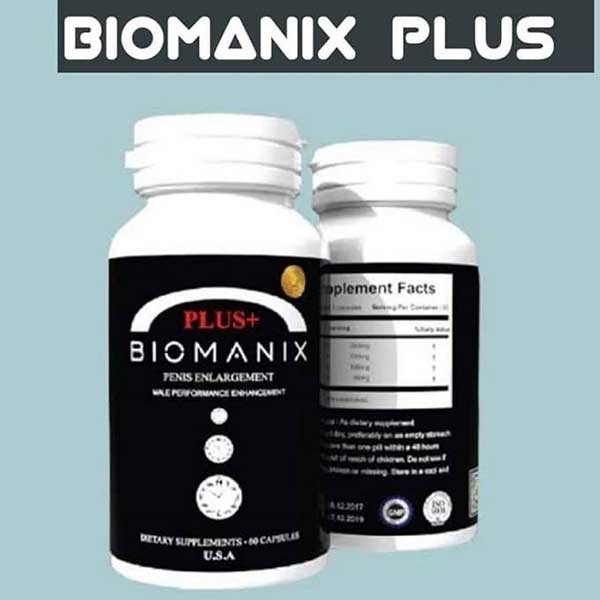
Biomanix Plus (Made In Usa) 1 Box 60 Capsule

  Biomanix Plus (Made In Usa) 1 Box 60 Capsule This high quality American biomanix plus increases the time of permanent sexual intercourse w...